Downloading Teratoma
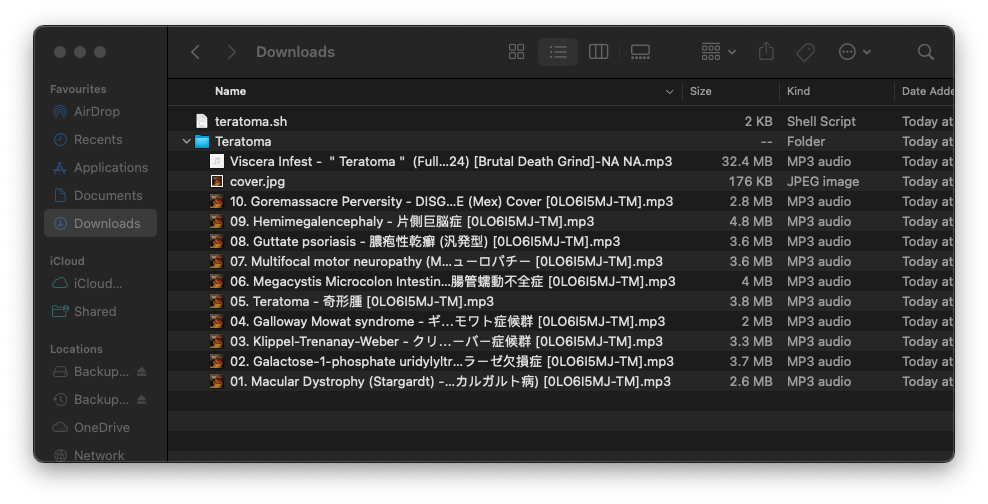
Viscera Infest released their new album last month, and I could not find it anywhere other than on YouTube. I'm normally more thanhappy to purchase music if its not on streaming services, yet for some reason the only place Viscera Infest released the full version of Teratoma was on YouTube. This is a bit of a problem to listen to it on the go, as I typically only use YouTube on the TV. So I decided to write a small script that would download each track from the YouTube link, and add in the relevant metadata.
#!/bin/bash

if ! command -v yt-dlp &> /dev/null
then
    echo "yt-dlp could not be found. Install it using 'pip install yt-dlp'."
    exit
fi

if ! command -v eyeD3 &> /dev/null
then
    echo "eyeD3 could not be found. Install it using 'pip install eyeD3'."
    exit
fi

ARTIST="VISCERA INFEST"
ALBUM="Teratoma"
GENRE="Goregrind"
COVER="https://www.metal-archives.com/images/1/2/5/4/1254583.jpg?2650"
URL="https://www.youtube.com/watch?v=0LO6I5MJ-TM"

mkdir -p "$ALBUM"
cd "$ALBUM"

if ! wget -O cover.jpg "$COVER"; then
    echo "Error: Failed to download cover art from $COVER"
    exit 1
fi

if ! yt-dlp -x \
       --audio-format mp3 \
       --split-chapters \
       --output "%(title)s-%(section_number)s %(section_title)s.%(ext)s" \
       "$URL" ; then
    echo "Error: Failed to download tracks from $URL"
    exit 1
fi

# Loop through all MP3 files in the current directory
for file in *.mp3; do
    if [[ -f "$file" ]]; then
        # Extract the correct track number (second numeric sequence after the first hyphen)
        track=$(echo "$file" | sed -n 's/.*- \([0-9]\{3\}\) \([0-9]\{2\}\)\..*/\2/p')

        # Extract the title (everything after the section number and period)
        title=$(echo "$file" | sed 's/.*- [0-9]\{3\} [0-9]\{2\}\. \(.*\)\.mp3/\1/')

        if [[ -z "$track" ]]; then
            echo "Warning: Could not extract a valid track number for $file. Skipping."
            continue
        fi

        new_filename="${track}. ${title}.mp3"
        mv "$file" "$new_filename"

        # Use eyeD3 to set metadata
        eyeD3 --to-v2.3 \
              --title "$title" \
              --artist "$ARTIST" \
              --album "$ALBUM" \
              --genre "$GENRE" \
              --release-date "2024" \
              --track "$track" \
              --add-image "cover.jpg:FRONT_COVER" \
              "$new_filename"
    fi
done
Parsing the track and title was a little tricky, but a bit of trial and error with sed got this working, and the results of this script works really well.