Using My iPhone like an iPod
Towards the end of last year it dawned on me that the majority of the music I listen to is not on streaming services, and I would download the music from the bands bandcamp and upload it to whatever iTunes Match is called these days.
In an attempt to streamline this workflow I found my old iPod from my teenage years and attempted to use that, but its just been sat there for ~10 years, so the hard drive has failed. I could go down the modding route, but for ease, I just bought a 4gb iPod Nano off eBay and thought that would be the end of it. But something was missing, not only because I would have to rotate the music on the iPod every now and then, but something felt off.
I needed access to my entire music library. Although I'm never really going to play all of it, its my library and has a special place in my heart. So I looked into making my own streaming service, for my library. Enter Jellyfin, now this is a great service, I can stream from my home server. However, the iOS apps for this are a little clunky, but not unbearable.
Speaking with a friend about this, they asked how large (in size) my music library is, and I'd never actually looked into it. I would have thought it was huge, due to the amount of years I've been collecting, but lets verify that.
du -sh ./music
50G ./music
Oh, so its just 50gb. Why am I not carrying this around with me? That way I never have to worry about not being able to listen to music. However, the iTunes or Music app these days is not as nice as it used to be to put .mp3's on your iPhone. So I needed an alternative. The same friend actually mentioned about foobar2000, as that is what they use.
So over a weekend I setup foobar2000 and set my home server as the "source of truth" with all the correct tags and artist set, I use beets for this. I then wrote a small rsync script to sync my music library to my laptop or USB drive.
#!/usr/bin/env bash

MUSICDIR="$1/" # /Volumes/<USB>/music/

if [[ -z "$1" ]]; then MUSICDIR="$HOME/Music/"; else MUSICDIR="$1"; fi
if [[ ! -d "$MUSICDIR" ]]; then echo "[!] music dir not found" && exit 1; fi
[[ $(rsync --version | head -n1 | awk '{print $3}' | awk -F. '{print $1$2}') -lt 31 ]] && \
    echo "[!] rsync >= 3.1 required" && exit 1 # need rsync from homebrew
echo "[+] syncing to $MUSICDIR"
rsync -avz \
      --iconv=utf-8-mac,utf-8 \
      --modify-window=2 \
      --exclude='.DS_Store' \
      --exclude='.Spotlight-V100' \
      --exclude='.Trashes' \
      --exclude='._*' \
      --no-perms \
      --no-owner \
      --no-group \
      --delete \
      homeserver:/mnt/media/music/ "$MUSICDIR"
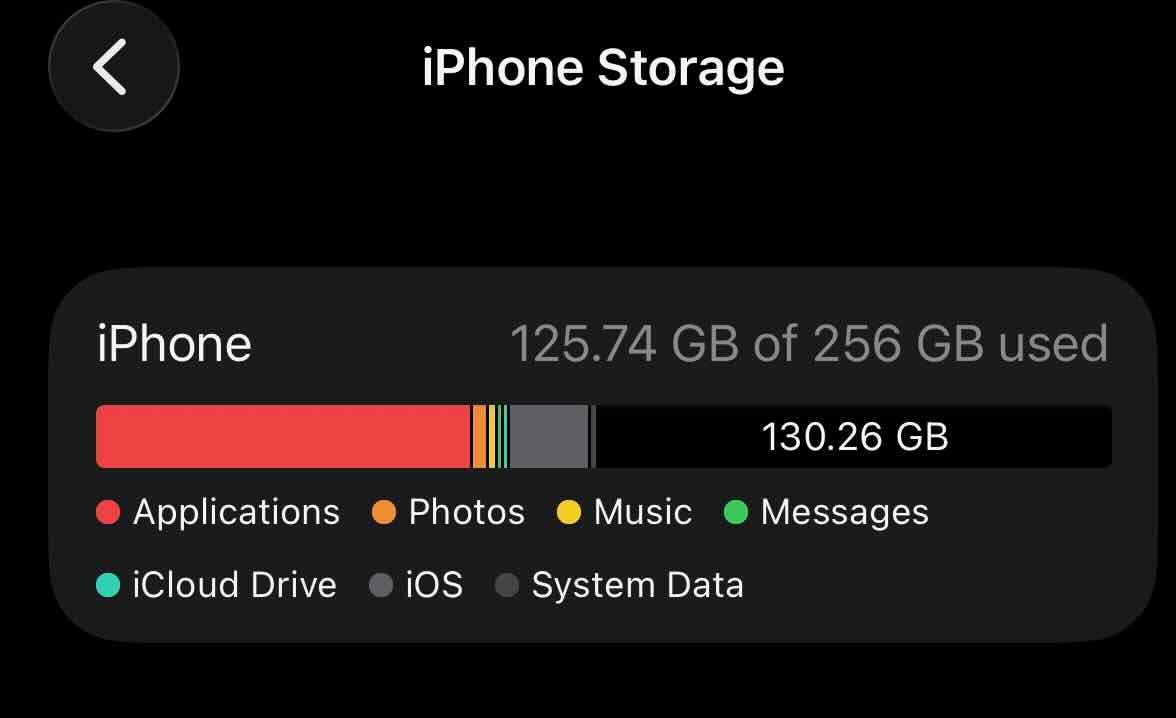
That solves music on my laptop, but what about my phone? Well there's a foobar2000 app, and it has a built in FTP client which I could use to transfer music too, but I opted to use the Files app and copy music from my home server over SMB. This way I can sort it by date to know what new music I have to copy over. After all of this, I've still user about 50% of my iPhone's total storage.